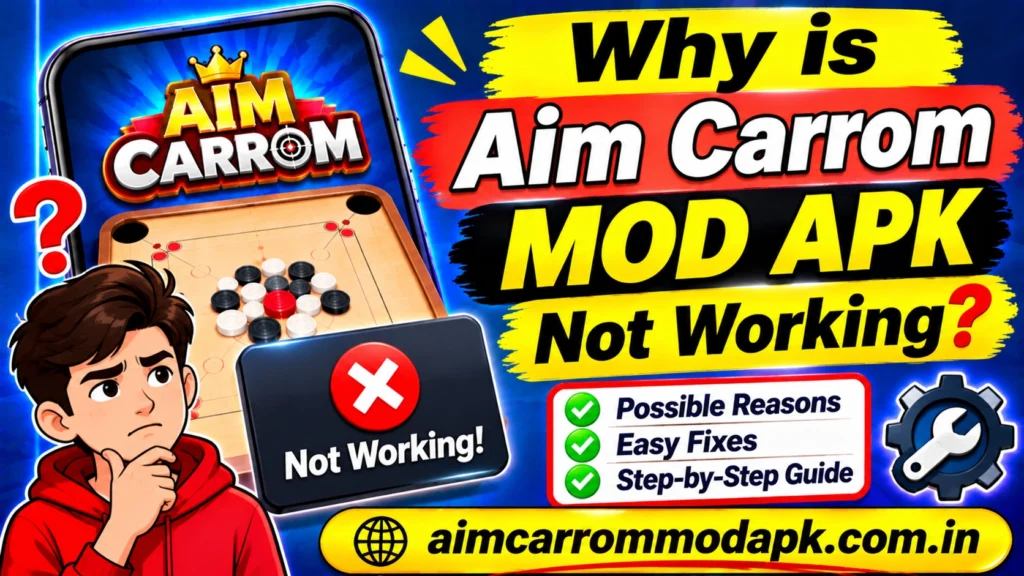
Why Is Aim Carrom MOD APK Not Working?
Aim Carrom MOD APK usually stops working when a mismatch occurs between the aiming overlay and a recent Carrom Pool game update or when Android system privacy controls block floating windows. Because the utility operates by drawing trajectory lines over another application screen even minor changes to display permissions battery limits or screen aspect ratios can prevent the guidelines from appearing or cause the app to crash immediately after launch.
Identifying whether the problem comes from an outdated APK build restricted Android permissions or background memory limits makes it easy to restore normal functionality within a couple of minutes.
Most Common Reasons the Utility Fails
Aim Carrom MOD APK Most playback and overlay glitches trace back to a handful of technical conflicts between the third-party utility and your smartphone environment.
- Outdated APK Version After a Game Patch: Whenever Carrom Pool updates its board graphics or interface layout older Aim Carrom releases lose coordinate alignment. As a result the laser guidelines either fail to appear or point away from the actual pockets.
- Disabled Screen Overlay Permission: Aim Carrom cannot render lines over Carrom Pool unless the Display over other apps permission is explicitly turned on inside Android system settings.
- Android 13 to 15 Restricted Settings Lock: Newer Android operating systems automatically block sensitive overlay toggles on sideloaded APK files until you manually unlock restricted settings in App Info.
- Aggressive Battery Optimization: Custom phone interfaces such as MIUI HyperOS One UI and ColorOS frequently close background floating utilities mid-match to save power.
- Corrupted Cache or Leftover Legacy Files: Installing a newer build directly over an older version without clearing previous app data often causes immediate force-close crashes on launch.
Common Symptoms vs Root Causes and Fixes
Matching the exact error behavior on your screen to its underlying cause helps you apply the right fix immediately without guessing.
| Issue Symptom | Most Likely Cause | Quickest Solution | Expected Result |
| Floating icon never appears | Overlay permission is turned off | Enable Display over other apps in Settings | Control bubble stays visible on screen |
| Guidelines point off-target | Outdated Aim Carrom build | Install latest v2.8.16 release | Laser lines align accurately with pockets |
| Overlay vanishes mid-match | Battery saver kills background app | Set battery usage to Unrestricted | Guidelines remain active throughout game |
| App crashes upon opening | Corrupted cache or signature conflict | Clear app data or perform clean reinstall | Utility launches cleanly to start menu |
| Overlay toggle is grayed out | Android restricted settings lock | Allow restricted settings in App Info | Permission switch becomes clickable |
Step-by-Step Fixes to Get It Working Again
If your aiming overlay is unresponsive frozen or misaligned run through these straightforward adjustments in order. Avoid numbered checklists by following this clean troubleshooting flow.
- Grant Display Over Other Apps Permission: Open your device Settings go to Apps select Aim Carrom and tap Display over other apps. Switch the toggle on so the floating menu can appear above Carrom Pool.
- Unlock Restricted Settings on Newer Android Phones: If the overlay switch appears grayed out tap the three-dot menu in the top-right corner of the Aim Carrom App Info screen and select Allow restricted settings before trying again.
- Set Battery Usage to Unrestricted: Inside the same App Info page tap Battery and select Unrestricted. This prevents your phone from shutting down the floating trajectory lines during longer matches.
- Clear App Cache and Re-Launch: Open Storage inside Aim Carrom App Info and tap Clear Cache and Clear Data. Launch Aim Carrom first tap its start button and then open Carrom Pool from inside or right after.
- Update to the Latest Compatible Release: If guidelines still fail to align with the board uninstall your current build completely and install the newest version such as v2.8.16 so board geometry matches the latest Carrom Pool patch.
Conclusion
Aim Carrom MOD APK typically stops working due to disabled screen overlay permissions aggressive battery optimization or version mismatches following official Carrom Pool updates. Unlocking restricted settings enabling Display over other apps setting battery usage to unrestricted and updating to the latest build resolves almost every launch or alignment error. Testing the overlay on an offline practice board afterward confirms that your laser guidelines are tracking properly again.